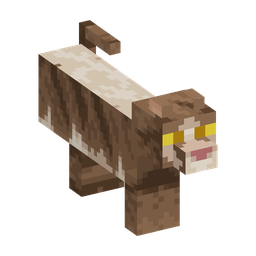
CAT-01Native variant
Tabby
Use /cat appearance tabby.
Variant ID: tabby

Optional inner game
Woodland Cats is an original PlushSMP roleplay system for fictional cat characters, expressive native cat morphs, clans, territory stories, and quiet gathering goals.
31 selectable coats
These previews use the same entity skins prepared for the Java cat morphs. Collar color is selected separately in game. The 20 custom coats use a vanilla black-cat fallback on Bedrock while preserving the selected collar.
Showing all 31 appearances.
Use /cat appearance tabby.
Variant ID: tabby
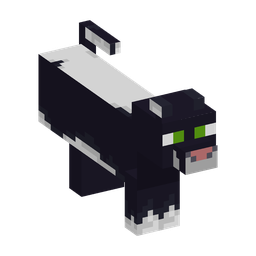
Use /cat appearance black.
Variant ID: black
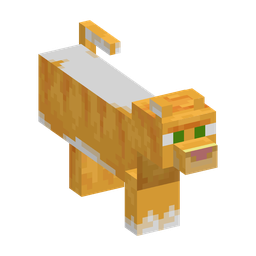
Use /cat appearance red.
Variant ID: red
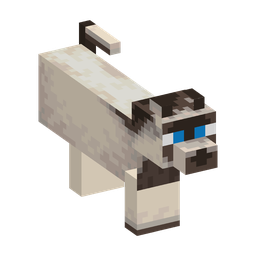
Use /cat appearance siamese.
Variant ID: siamese
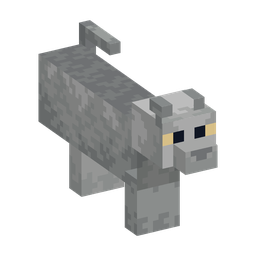
Use /cat appearance british_shorthair.
Variant ID: british_shorthair
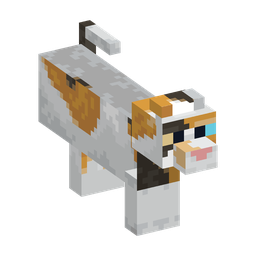
Use /cat appearance calico.
Variant ID: calico
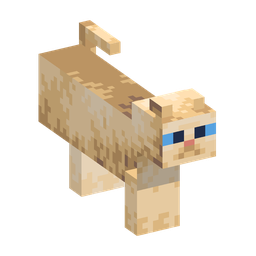
Use /cat appearance persian.
Variant ID: persian
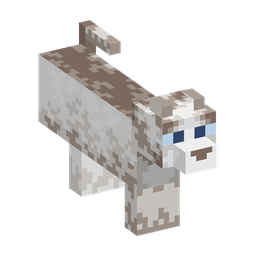
Use /cat appearance ragdoll.
Variant ID: ragdoll
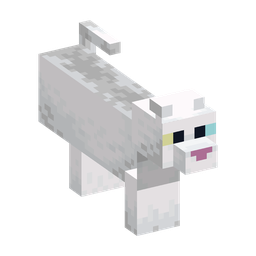
Use /cat appearance white.
Variant ID: white
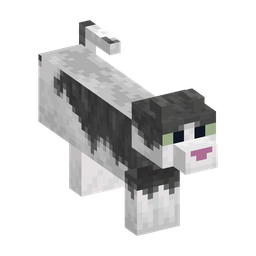
Use /cat appearance jellie.
Variant ID: jellie
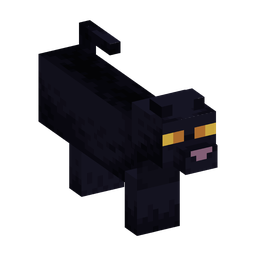
Use /cat appearance all_black.
Variant ID: all_black
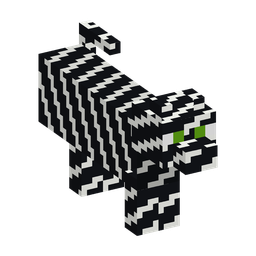
Use /cat appearance skeleton.
Variant ID: skeleton
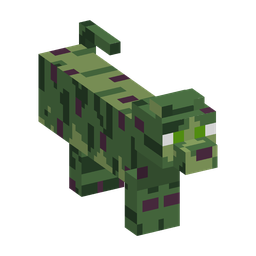
Use /cat appearance zombie.
Variant ID: zombie
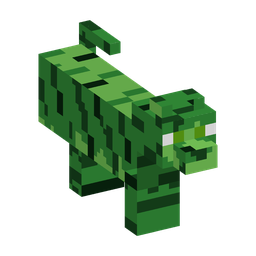
Use /cat appearance creeper.
Variant ID: creeper
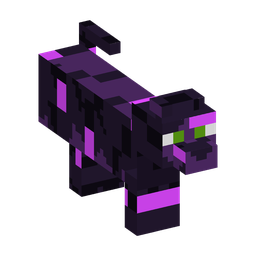
Use /cat appearance enderman.
Variant ID: enderman
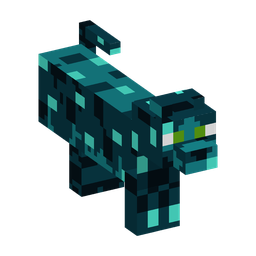
Use /cat appearance sculk.
Variant ID: sculk
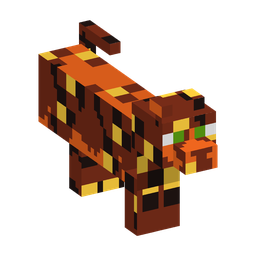
Use /cat appearance magma.
Variant ID: magma
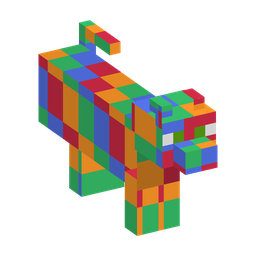
Use /cat appearance rainbow.
Variant ID: rainbow
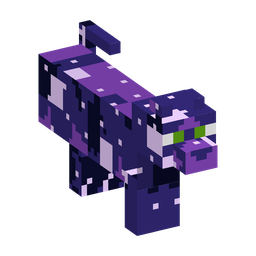
Use /cat appearance galaxy.
Variant ID: galaxy
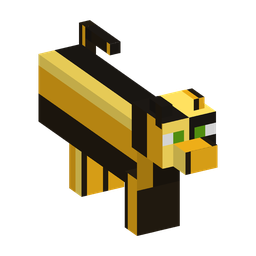
Use /cat appearance bee.
Variant ID: bee
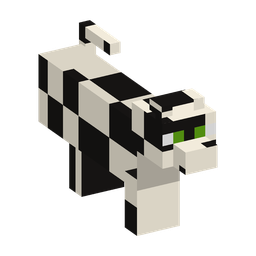
Use /cat appearance cow.
Variant ID: cow
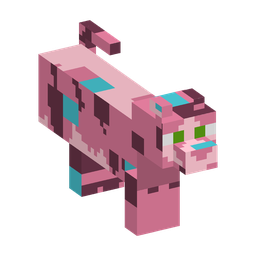
Use /cat appearance axolotl.
Variant ID: axolotl
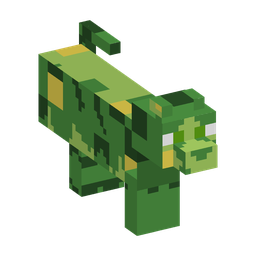
Use /cat appearance frog.
Variant ID: frog
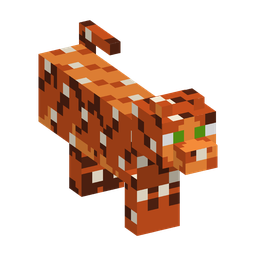
Use /cat appearance fox.
Variant ID: fox
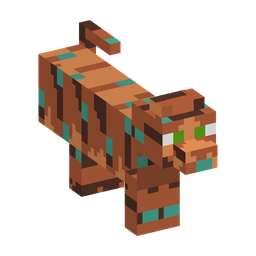
Use /cat appearance copper.
Variant ID: copper
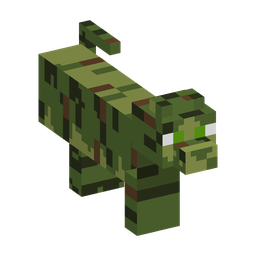
Use /cat appearance mossy.
Variant ID: mossy
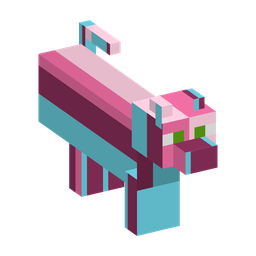
Use /cat appearance candy.
Variant ID: candy
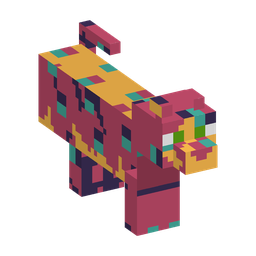
Use /cat appearance patchwork.
Variant ID: patchwork
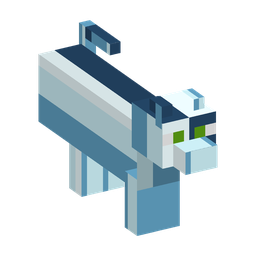
Use /cat appearance ice.
Variant ID: ice
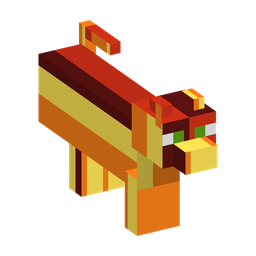
Use /cat appearance fire.
Variant ID: fire
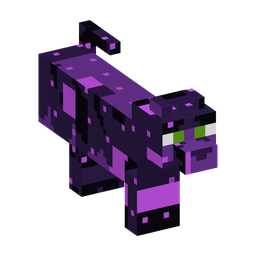
Use /cat appearance void.
Variant ID: void
Texture credit: Cat skins are from Faithful 32x and are shown under its license. Woodland Cats gameplay and character systems are original PlushSMP work.
Survival stays survival
Participation is optional. Woodland Cats never replaces or rewrites inventory, permissions, normal /team teams, claims, PvP choices, moderation, combat, or collision. Players who do not create a cat profile keep the existing PlushSMP experience.
The goal is original woodland-cat character roleplay fun: make a fictional cat, morph and emote, form a clan, link an existing claim as fictional territory, set a den, describe alliances or rivalries, choose whether to use the roleplay chat channel, and complete gathering quests.
Character workshop
/cat create opens a secure inventory GUI for Java players and a Bedrock form through the existing platform bridge. Text customization remains command-based so every value receives the same permission, moderation, length, and transaction checks.
/cat profile/cat name <name>/cat bio <text>
/cat appearance <variant>/cat collar <color>
/cat role <guardian|herbalist|hunter|apprentice>
Choose from 11 native coats, 20 custom Java patterns, and 16 independent collar colors.
Custom coats use a vanilla black-cat fallback on Bedrock while retaining the selected collar. Cat names, biographies, clan names, descriptions, and relationship notes are fictional profile text. Keep them family-friendly and never place real personal information in them.
Native cat form
Use /cat morph and /cat unmorph. Your desired state persists and is restored after reconnecting, changing worlds, respawning after death, or other safe refreshes. The visible form changes, but the underlying player hitbox, collision, and normal combat rules do not.
While morphed, equipped helmets, chestplates, leggings, and boots are visually hidden from you and other players so the cat silhouette remains clear. Your real armor stays equipped: protection, attributes, enchantments, durability, death handling, Crown and wearable-stuffy effects, and inventory display all remain normal. Held items are not hidden.
While actively morphed, use /cat emote <sit|lie|stretch|hiss|purr|meow>. Sit and lie are toggled poses, stretch is brief, and hiss, purr, and meow use native cat sounds.
Fictional groups
Create one with /cat clan create <name> <description>. Clan commands cover invite, invitations, accept or decline <invitation-id>, leave, kick, role, info, disband, territory, den, den go, and relation. Accept and decline require the exact invitation record ID shown by the server.
Woodland clans are a separate fictional roleplay layer from normal /team teams. A chosen profile role may be Guardian, Herbalist, Hunter, or Apprentice. Leader, Deputy, Queen, and Elder are clan-assigned.
/cat clan deputy set <online-player> or remove that Deputy with /cat clan deputy remove <online-player> [replacement-role]. Deputy cannot be self-selected, assigned through /cat clan role, appointed by another Deputy, or obtained through any other command path.A Deputy may perform a limited set of routine clan actions only while the Leader is offline. A Deputy cannot transfer leadership, assign or remove a Deputy, or disband the clan.
Growing characters
/cat create adult creates an adult profile and /cat create kitten creates a kitten Apprentice. Kitten is not an authority role. Kittens use baby versions of all 31 cat appearances and all 16 collars, then mature automatically after exactly 14 real days, including offline time. Maturation keeps the cat as an Apprentice.
Consent and safe movement
An adult Queen and a kitten Apprentice in the same clan may create one relationship through explicit request and acceptance using /cat family request, requests, accept, decline, cancel, unlink, and status. Either endpoint can end an accepted relationship.
The relationship is fictional roleplay state only. It grants no claim, trust, teleport, moderation, private-chat, account, or real-world guardian authority. A linked kitten may opt into /cat follow on; follow never teleports, loads chunks, bypasses claims, suppresses damage, or changes normal movement authority. It pauses for combat, hazards, obstruction, unsafe ground, unloaded chunks, or invalid relationship state.
Stories over protected land
/claim personal, then use the claim tool to right-click two opposite corners. For a team-owned claim, a team Manager can use /claim team. You may instead link a suitable claim you already manage./claim visualize. The cat clan territory will use this entire claim, not an independent or larger roleplay boundary./cat clan territory. A Deputy can do this only while the Leader is offline. The command succeeds only when that player has MANAGE authority for the claim./cat clan den./cat clan den go. Travel is allowed only while the claim, linked territory, arrival permission, world border, and landing spot remain valid.Territory is a fictional clan label over protected land. It does not transfer claim ownership, add trust, grant building or management access, increase claim count, or increase claim-block allowance. Linking a different claim replaces the old territory and clears the old den, so set the den again inside the newly linked claim.
BlueMap can show the fictional clan name and territory polygon. It does not publish player identities, the roster, den location, or private relationship notes.
Explicit opt-in
/cat chat on opts you into both sending and receiving. /cat chat off opts out, and /cat chat <message> sends only after you opt in. This command-based channel does not intercept normal chat.
Woodland chat is not private. The normal family filter, moderation checks, rate and duplicate controls, permissions, and persistent /ignore choices apply. Only other explicitly opted-in participants receive ordinary roleplay messages. Successful Woodland messages are retained internally for up to 90 days under the public conversation policy; private channels are excluded and no public conversation page is active.
Small daily ritual
/cat forage advances the persisted UTC daily gathering goal while you stand inside your clan's active linked territory. /cat quest reports today's progress. Gathering grants roleplay progress only: no Plush Coins and no items.
Conflict-safe presentation
Participating players show their cat name and authoritative role in the sidebar and player list. While morphed, the native cat custom name provides overhead identity. While unmorphed, the normal player overhead name remains unchanged. This avoids competing with the scoreboard presentation already used by PlushSMP.
Client compatibility
Woodland Cats uses native cat forms and works entirely through the server. Java players do not install a client mod.
Java and Bedrock players can use Woodland Cats, though exact visuals and form behavior can vary by device.